Choosing the right web host is crucial for your website’s speed, uptime, and overall success. Whether you’re launching a blog, e‑commerce store, or business portal, reliable hosting ensures your visitors stay engaged and your site performs flawlessly.
Below are the top 8 web hosting providers offering free domain registration and premium features for Indian users in 2026.
🥇 1. SunServer.in — Best Overall Hosting in India
SunServer.in leads the pack with its SSD‑powered servers, 99.99% uptime, and India‑based data centers for lightning‑fast performance. Trusted by thousands of businesses, SunServer combines affordability with enterprise‑grade reliability.
🔑 Key Features
Shared, VPS, Reseller & Dedicated Hosting
Free SSL Certificate & Free Domain on select plans
24×7 phone, chat & email support
Dell Xeon SSD servers for maximum speed
One‑click WordPress installation & daily backups
✅ Pros
✔ High uptime (99.99%) ✔ Local data centers for Indian audiences ✔ Budget‑friendly plans starting at ₹69/month ✔ Beginner‑friendly dashboard
⚠️ Cons
❌ International support limited to email/ticket
💰 Pricing
Linux Hosting: ₹69/month
WordPress Hosting: ₹179/month
VPS Hosting: ₹499/month
Ideal for: Startups, bloggers, and businesses seeking fast, secure, and affordable hosting with a free domain.
2. Hostinger
Best for Beginners & Global Reach
Free Domain & SSL Certificate
LiteSpeed servers with 99.9% uptime
Starting at ₹116/month
30‑day money‑back guarantee
3. MilesWeb
India‑based Hosting with Free AI Website Builder
Free Domain for 1 year
Data centers in Mumbai & Pune
Starting at ₹69/month
24×7 local support
4. Bluehost
WordPress‑Recommended Hosting
Free Domain for first year
Free CDN & SSL
Starting at ₹199/month
Excellent WordPress integration
5. HostPapa
Eco‑Friendly Green Hosting
Free Domain & one‑on‑one onboarding
99.94% uptime
Starting at ₹150/month
6. Namecheap
Best Renewal Pricing & Privacy Protection
Free Domain & WHOIS privacy
cPanel management
Starting at ₹182/month
7. SiteGround
Premium Performance on Google Cloud
99.99% uptime
Daily backups & staging tools
Starting at ₹299/month
8. A2 Hosting
Speed Leader for Developers
Turbo servers & SSH access
Free SSL & migration
Starting at ₹249/month
🏁 Final Verdict
If you’re looking for India‑focused hosting with free domain, top‑tier uptime, and local support, SunServer.in stands out as the #1 choice in 2026. Its combination of speed, reliability, and affordability makes it perfect for both beginners and professionals.
Artificial Intelligence hosting has evolved far beyond simple cloud infrastructure. Today, platforms are expected to handle the entire AI development lifecycle — from fine‑tuning LLMs to deploying production inference APIs and building full‑stack AI applications.
At Sun Server Hosting, we understand that choosing the right AI hosting platform can make or break your project. That’s why we’ve compiled this guide to the Top 9 AI Hosting Platforms in 2026, comparing them on performance, developer experience, pricing transparency, and production readiness.
🚀 Quick Overview
Northflank – Best overall for production AI applications
AWS SageMaker – Enterprise‑grade MLOps for AWS users
Google Cloud Vertex AI – TPU access and TensorFlow integration
Hugging Face Inference Endpoints – Fastest model‑to‑API deployment
RunPod – Budget‑friendly GPU cloud for experimentation
Modal – Python‑native serverless AI platform
Replicate – Monetize and share generative AI models
Anyscale – Distributed computing with Ray ecosystem
Baseten – Visual interface for data science teams
🔑 What Makes a Great AI Hosting Platform?
When evaluating AI hosting, Sun Server recommends focusing on:
Northflank stands out as a complete platform for production AI applications. Unlike GPU‑only providers, it offers Git‑based CI/CD, full‑stack orchestration, and BYOC support. Pricing starts at $1.42/hr for A100 GPUs, with transparent billing and enterprise‑grade security. 👉 Perfect for startups scaling to production and enterprises needing governance.
2. AWS SageMaker – Enterprise MLOps
Amazon’s SageMaker is ideal for organizations already invested in AWS. It provides end‑to‑end ML workflows, AutoML, and enterprise security. However, pricing can be complex, and vendor lock‑in is a concern. 👉 Best for large enterprises with dedicated ML teams.
3. Google Cloud Vertex AI – TPU Power
Vertex AI shines with native TPU support, AutoML, and tight integration with Google’s ecosystem (BigQuery, Dataflow). It’s excellent for TensorFlow users but offers fewer GPU options compared to competitors. 👉 Best for research teams and TensorFlow‑heavy projects.
4. Hugging Face Inference Endpoints – Model to API Fast
With 400,000+ pre‑trained models and one‑click deployment, Hugging Face is the fastest way to go from model to production API. Limited to inference workloads, but unbeatable for transformer models. 👉 Best for teams deploying open‑source models quickly.
5. RunPod – Budget‑Friendly GPU Cloud
RunPod offers low‑cost GPU access with per‑minute billing. Great for experimentation, but lacks enterprise features and advanced orchestration. 👉 Best for students, researchers, and small teams.
6. Modal – Python‑Native Serverless AI
Modal lets developers deploy AI workloads directly from Python code with automatic scaling. It’s cost‑effective but limited to Python workflows. 👉 Best for Python developers building inference APIs or batch jobs.
7. Replicate – Monetize Generative AI
Replicate enables one‑click deployment from GitHub and built‑in monetization. Strong for demos and public APIs, but less suited for private enterprise workloads. 👉 Best for indie developers and generative AI projects.
8. Anyscale – Distributed AI with Ray
Built on Ray, Anyscale is designed for large‑scale distributed computing. It supports multi‑cloud deployments and production serving with Ray Serve. Requires Ray expertise. 👉 Best for ML engineers handling massive datasets.
9. Baseten – Visual Deployment
Baseten offers a drag‑and‑drop interface for deploying ML models with built‑in monitoring. Limited customization, but perfect for data science teams without DevOps expertise. 👉 Best for teams preferring UI‑driven workflows.
🌟 Sun Server Hosting Perspective
At Sun Server Hosting, we believe the winners in AI hosting are those that treat AI workloads as part of the complete application stack. Platforms like Northflank lead the way, but depending on your needs, AWS, Google, or Hugging Face may be the right fit.
For most teams building real AI products, Northflank offers the best balance of features, pricing, and developer experience. And if you require self‑hosting for compliance or privacy, Sun Server provides dedicated VPS and BYOC options to give you full control with managed support.
✅ Final Takeaway: AI hosting in 2026 is about production readiness, transparent pricing, and developer‑first experiences. Whether you’re a startup, enterprise, or research team, Sun Server Hosting helps you choose the right platform and integrate it seamlessly into your stack.
You might have done everything right: cleaned your list, written solid emails, and avoided spammy subject lines, yet your messages still end up in spam. When that happens, the problem usually isn’t your content. It’s the system you’re sending from. Email deliverability is, first and foremost, a reputation problem.
Email providers like Gmail, Outlook, and Yahoo check the sending IP before anything else. If you’re on shared hosting, that IP is shared with others, and their mistakes can affect you. One bad campaign from someone else can drag down your results. A dedicated server with its own IP gives you full control and improves email deliverability.
Your reputation depends only on your own activity, which makes it easier to build trust over time. This guide explains how that foundation works, what has to be configured alongside it, authentication, reverse DNS, IP warming, and the conditions under which the investment is justified.
What is Email Deliverability?
Email deliverability is the probability that your message arrives at the recipients’ inboxes and not in their spam folders or promotional tabs, nor does it silently drop into a dead end without ever arriving at them. It is commonly confused with email delivery, but it should not be, because although the term itself sounds very similar to the latter, there is a difference between the two.
Delivery means that the receiving server has accepted the SMTP handshake. Deliverability means where precisely it went after accepting it: did it end up in the spam folder or the inbox? There is no doubt in your mind that your inbox is a place of trust. This is why when the email gets sent, the recipient’s mailbox provider uses several layers to check the email’s reputation and decide on its place of destination.
Why Email Deliverability is an IP Reputation Problem?
The core issue is straightforward. Mailbox providers do not judge your email by its contents. They judge it by who is sending it, and the sender they see is your IP address. Before any filter looks at the subject line or the body, the receiving server checks the reputation tied to the IP and decides whether the message deserves the inbox. A poor reputation means the spam folder, regardless of how good the email is.
Every email contributes to a broader pattern. That pattern is not always visible to the sender, but it is closely monitored by mailbox providers. Over time, these observations form a profile. If recipients regularly engage with your emails, that profile becomes more favourable. If they ignore them or mark them as spam, the perception shifts. Bounce rates and other technical signals add further context.
None of these factors works in isolation, but they accumulate, gradually shaping how future emails are treated. This is why two similar campaigns can perform very differently. One may reach the inbox consistently, while the other struggles, even if the content is nearly identical. The difference lies in the history behind the sender. Reputation, in this sense, behaves less like a single score and more like a reflection of ongoing behaviour.
The Shared Hosting Problem
One Bad Neighbor Can Sink Your Inbox Placement
With shared hosting, your emails go out through an IP that’s used by many other accounts, sometimes dozens, sometimes hundreds. All of those users collectively shape the reputation of that IP. So if even one of them sends to a bad list, ignores unsubscribe requests, hits spam traps, or racks up complaints, it affects everyone using that same IP.
Major blocklists such as Spamhaus SBL, SpamCop, SURBL, and the Composite Blocking List operate on IPs, not on tenant identifiers. They have no mechanism to distinguish your legitimate mail from your neighbour’s abuse. The result is that your carefully permission-based newsletter begins landing in spam because of behaviour you had no visibility into and no authority to prevent.
You Can’t Troubleshoot What You Don’t Control
Another issue, and often the more frustrating one, is the lack of visibility when something goes wrong. If deliverability drops on a shared IP, there is very little you can actually investigate. The process tends to stall almost immediately. Any attempt to check the IP against blocklists does not give you a clear answer, because the results reflect the combined behaviour of all users on that IP, not just your own.
It also leaves you without the authority to fix the problem. You cannot submit delisting requests to services like Spamhaus or Barracuda, since you are not recognised as the owner of that IP. The same limitation applies when trying to access tools such as Google Postmaster Tools or Microsoft SNDS. These platforms require verification steps, including reverse DNS and SPF alignment, which only the infrastructure provider can complete.
What Does a Dedicated Server and Dedicated IP Actually Change?
Full Control on Your IP and Reputation
When you have a dedicated IP address, you have full responsibility for your reputation. You will know whether your sending behavior is acceptable and what measures should be taken to achieve good deliverability. In case of any problems, they can be easily traced and solved because you are working with your own data, not with a set that belongs to several other people at once. Moreover, with a dedicated IP address, you will be able to use proper monitoring tools, like Google Postmaster Tools or Microsoft SNDS.
Separate Message Streams to Protect Transactional Email
Marketing and transactional emails require different approaches and, when combined, they may harm your deliverability. Your marketing campaigns may sometimes get complaints because it cannot be avoided. At the same time, transactional emails are always welcome. If there is only one reputation score for them, then it can ruin all important messages. The use of separate IPs allows you to ensure that transactional emails will be delivered smoothly without any issues because they will have their own reputations.
Control Over the Sending Stack
If you have your own server, you have full control over how your email messages are sent and how to improve email deliverability. You can use any configuration you wish, as well as any email servers, sending speed, and other settings according to the needs and rules of your target mailbox provider. Such settings will provide stability in email sending processes. You will also be able to work with bounces, complaints, and suppression lists. It will allow you to avoid problems when sending emails and allow you to set up an email server on a VPS.
Authentications Required for Dedicated Infrastructure
SPF
Sender Policy Framework (SPF) is basically a note you leave in your domain settings that says which servers are allowed to send emails for you. When an email reaches the other side, their server checks that note and sees if the sending IP matches. If it does, things look fine. If it does not, the email can be treated with suspicion. It is a simple step, but without it, there is no clear way for receivers to confirm that the email really came from your domain.
DKIM
DomainKeys Identified Mail (DKIM) works quietly in the background. Every email you send carries a kind of digital stamp that proves it has not been changed and that it came from your system. The receiving server checks this stamp using a key you have already placed in your DNS. If everything lines up, the message is considered safe. If something does not match, it signals that the email may have been altered along the way.
DMARC
Domain-based Message Authentication, Reporting, and Conformance (DMARC) is where you decide how strict you want to be. It tells receiving servers what action to take if an email fails the SPF or DKIM checks. At first, most users just use it to observe what is happening and collect reports. Once everything looks correct, stricter rules can be applied. It also helps you spot if someone else is trying to use your domain without permission, which is something you would not want to miss. For the complete configuration sequence, consult our dedicated guide on setting up SPF, DKIM, and DMARC.
IP Warming
When you start using a new dedicated IP, it has no history at all. To mailbox providers, that looks unfamiliar, and if a large volume of emails suddenly appears, it can raise concerns. That is why warming the IP is necessary.
IP warming is the disciplined practice of ramping outbound volume gradually over four to eight weeks, allowing providers to observe sustained legitimate behaviour and construct a positive reputation baseline before your full sending volume arrives.
Start small, especially in the first few days, and send only to users who have recently engaged with your emails. This helps create a strong first impression.
Keep an eye on basic signals like bounces and complaints. If these stay low, it is a good sign that things are moving in the right direction.
Increase your sending volume slowly, rather than making sudden jumps. A steady pace works better than trying to scale too quickly.
Add less active subscribers later, and do it gradually so they do not affect the overall engagement too much.
If you notice issues like rising complaints or delivery delays, it is better to pause and adjust instead of pushing forward.
In the early days, you may notice slight delays or temporary filtering from some providers, and that is normal. As long as your sending remains consistent and responsible, the IP builds trust over time and becomes more stable for regular use.
What to Configure First on a New Dedicated Server for Email?
Set Up Reverse DNS (PTR)
As the next step, it is recommended to configure reverse DNS (PTR). In other words, your IP must correspond to your domain’s hostname and vice versa. Mail providers automatically check this for every incoming connection; when it lacks or does not match, the emails get ignored or filtered. It is possible to ask your hosting provider to do this in advance because this task falls into their responsibilities.
Publish SPF, DKIM, and DMARC
Before starting with email deliverability, it is crucial to create SPF, DKIM, and DMARC records. They will ensure that the emails you are sending are legitimate and permitted to be sent out using your domain name. SPF should be clear, DKIM keys must be solid and complex, and you should start with the monitoring mode of DMARC. After that, when you have verified everything, you may switch to stricter measures.
Start a Warming Schedule
As you have already noted above, changing the IP means starting with the cold IP address. You need to start gradually from the most engaged recipients, the ones who regularly open and click on your emails. Gradually, you should increase the email volumes and introduce less engaged clients to the list. Sending all emails at once may result in filtering and delays.
Register for Google Postmaster Tools and Microsoft SNDS
Using services like Google Postmaster Tools and Microsoft SNDS will help you understand the details of your email performance, such as reputation, complaints, and deliverability patterns. It is very difficult to guess anything without such services. Therefore, we strongly recommend using them to understand the providers’ position and optimize email performance accordingly.
Separate Transactional and Marketing Streams
In case you have two IP addresses at the same time, then we recommend separating marketing emails and transactional emails from the very beginning. For marketing emails, more complaints might occur, but transactional emails cannot miss their target audience under any circumstances. Moreover, you may find yourself in trouble if you try to split them after having used the same IP.
When a Dedicated Server Makes Sense?
If the volume of your outgoing emails is constant and substantial, for example, about fifty thousand per month, it would be reasonable to start using a dedicated server. Such volume provides sufficient traffic for mailbox providers to learn about your email deliverability pattern and form a reliable reputation associated with it. Furthermore, it could be easier to find ways to save money at this point due to poor delivery on the previous infrastructure.
In some special circumstances, the decision to use the dedicated server could come even earlier, as in the case of companies relying on emails such as password reminders, updates about purchases, or notifications. This solution is relevant in industries where compliance and security of data are paramount, too.
When it doesn’t?
In the case of the occasional sending of only several thousand emails per month, a dedicated server will not be optimal. It will take some time before providers learn to trust your IP based on regular activity, so it may be difficult for your emails to avoid being filtered in the meantime, since there will not be enough data to confirm their credibility. It is recommended to choose shared services in this situation because they utilize already known and trusted IP addresses.
The Bottom Line
The email deliverability successfully comes down to trust, which is established by the reputation of your IP address. As mentioned earlier, when using shared services, you use someone else’s reputation, while with your own IP, you start establishing one yourself. The latter becomes possible by employing such mechanisms as SPF/DKIM/DMARC authentication and IP warming. Thus, you get full control over your emails and their delivery.
HostSailor’s dedicated server services give you everything that you need to set up your sending process independently. It means that you will get dedicated IPs and an independent environment, allowing you to customize your solution according to your needs. Such an approach will prove especially useful for those who have business based on email communications.
Frequently Asked Questions About Email Deliverability
Does a dedicated server improve email deliverability?
Yes, however, not on its own. What really makes the difference is having your very own IP address and being able to control the whole process of email deliverability. With this control, one can manage reputation, do authentication right, and be aware of all metrics. Without this additional control layer, even using a dedicated IP is unlikely to deliver good results.
Do I still need SPF, DKIM, and DMARC on a dedicated IP?
Yes, those tools are crucial. Whereas reputation is helped by the IP, authenticity and safety are ensured by the mentioned trio. These two aspects are interdependent; they complement each other. Even the most reputable IP addresses won’t help much if the senders don’t have their emails authorized and secure.
Can a dedicated IP still get blacklisted?
Even though IP is dedicated, there is still a possibility of being blacklisted due to the sender’s poor practices. Complaints, bad lists, and suspicious activity can make someone put this IP on their list. However, unlike with shared infrastructure, the user can recognize their own mistakes and fix them accordingly.
How many emails per month justify a dedicated server for email?
As a rule of thumb, when it comes to the business sending from fifty thousand to one hundred and fifty thousand emails on a monthly basis, using a dedicated server becomes reasonable. Anything below this range works perfectly fine with the shared infrastructure solution.
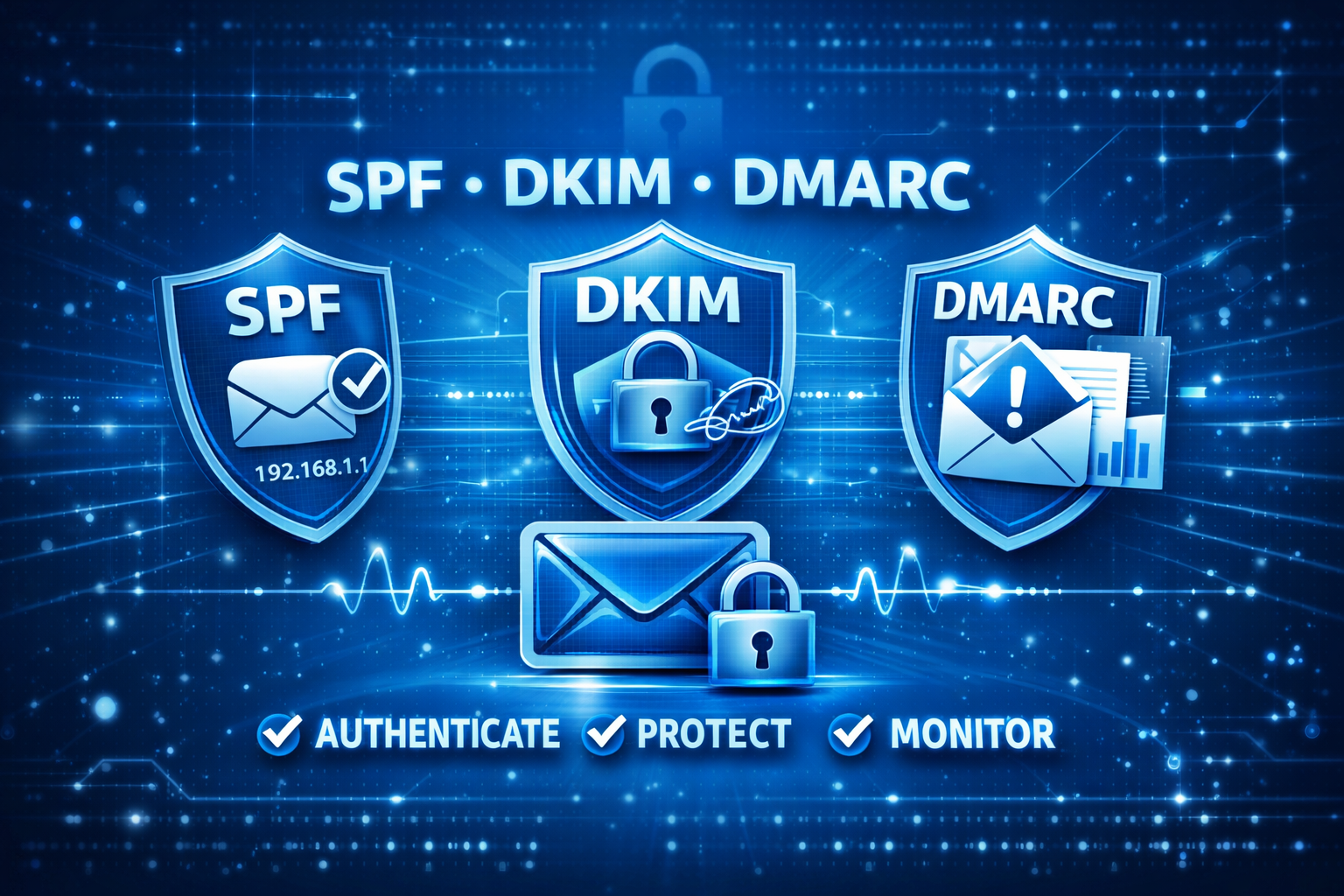
Email authentication is no longer optional. Providers like Gmail, Yahoo, and Microsoft now require strict SPF, DKIM, and DMARC checks. Without them, your emails risk being flagged as spam, rejected outright, or worse — your domain could be spoofed for phishing attacks.
At SunServer.in, we help businesses configure these records correctly to ensure:
✅ Trusted email delivery
✅ Protection against spoofing & fraud
✅ Strong sender reputation for long‑term deliverability
🌐 SPF (Sender Policy Framework)
SPF is your domain’s first line of defense. It tells receiving mail servers which IPs or services are authorized to send emails on your behalf.
How SPF Works: When an email is received, the destination server checks the sending IP against your SPF record. If it matches, SPF passes; if not, it fails.
⚠️ SPF Trap – The 10 Lookup Limit SPF allows only 10 DNS lookups. Exceeding this causes silent failures (PermError). At SunServer.in, we optimize SPF records by:
Removing unused services
Avoiding nested includes
Using SPF flattening when needed
🔑 DKIM (DomainKeys Identified Mail)
DKIM adds a cryptographic signature to each outgoing email, ensuring the message hasn’t been altered in transit.
📊 DMARC Reports: These reveal unauthorized senders, missing SPF/DKIM setups, and alignment issues. SunServer.in provides report analysis tools so you can safely progress from monitoring to full enforcement.
🚀 How SPF, DKIM & DMARC Work Together
Email is sent → Receiving server checks SPF
DKIM verifies message integrity
DMARC enforces alignment & policy
Reports are generated for domain owners
Together, they form a complete authentication system that boosts trust and deliverability.
✅ Step-by-Step Setup with SunServer.in
Audit all senders (email provider, CRM, marketing tools, support systems)
Publish SPF record with authorized services
Enable DKIM for each sender
Start DMARC at p=none to monitor activity
Gradually enforce → move to quarantine → reject
🧩 Common Mistakes to Avoid
Multiple SPF records (only one allowed)
Exceeding SPF lookup limit
Missing DKIM for services
Ignoring DMARC alignment rules
Jumping directly to p=reject without monitoring
Not analyzing DMARC reports
🌟 Why Choose SunServer.in?
At SunServer.in, we specialize in secure email hosting and VPS solutions. Our team ensures your SPF, DKIM, and DMARC records are correctly configured, monitored, and enforced — protecting your brand reputation and maximizing deliverability.
With our KVM VPS NVMe hosting, you get full control over DNS records, advanced security, and the flexibility to manage authentication seamlessly.
📌 FAQs – Frequently Asked Questions About Authenticating Email
Do I need all three (SPF, DKIM, DMARC)?
Yes. SPF verifies the sender, DKIM secures the content, and DMARC enforces policy.
What DMARC policy should I start with?
Always begin with p=none for monitoring, then move to quarantine and reject.
How long do DNS changes take?
Usually within hours, but global propagation may take up to 48 hours.
Do I need DMARC if my domain doesn’t send email?
Yes. A reject policy prevents attackers from spoofing your domain.
Do I need all three of SPF, DKIM and DMARC?
Yes, all three are essential for complete email authentication because each protocol handles a different part of the process. SPF verifies the sender, DKIM ensures message integrity, and DMARC enforces policy. Using only one or two leaves gaps in both security and deliverability.
What is the difference between SPF and DKIM?
SPF verifies whether the sending server is authorised by checking its IP address against your domain’s record. DKIM, on the other hand, uses a cryptographic signature to verify that the message has not been altered. In simple terms, SPF checks the source, while DKIM validates the message itself.
What DMARC policy should I start with?
You should always start with p=none, which allows you to monitor email activity without affecting delivery. This stage helps identify all legitimate senders and detect any issues. Once everything is verified, you can safely move to stricter policies like quarantine and rejection.
How long does it take for SPF, DKIM, and DMARC records to take effect?
In most cases, DNS changes take effect within a few minutes to a few hours. However, full global propagation can take up to 48 hours, depending on your DNS provider and TTL settings. It’s important to verify records after this period to ensure they are correctly applied.
What happens if my emails fail DMARC?
The outcome depends on your DMARC policy setting. Under p=none, emails are delivered normally and only reported. Under p=quarantine, they are typically sent to spam or junk folders. Under p=reject, they are blocked at the SMTP level and never delivered to the recipient.
Do I need DMARC if my domain doesn’t send email?
Yes, implementing DMARC on a non-sending domain is highly recommended. It prevents attackers from spoofing your domain for phishing or fraud. Setting a p=reject policy ensures that any unauthorised email is automatically blocked.
🔐 Final Word
SPF, DKIM, and DMARC are non‑negotiable in 2026. With SunServer.in, you can secure your domain, protect against spoofing, and ensure your emails land in the inbox — not the spam folder.
Sun Server Hosting – Powering the Future of Web Creation
AI website builders have moved from a novelty feature to a core part of the web creation category, enabling anyone to launch a professional site in hours rather than weeks.
In 2026, the data tells a compelling story: the market is growing fast, small business adoption is accelerating, and the tools are reaching first-time builders in markets where professional web development was previously out of reach.
📊 Market Growth & Adoption
AI website builders are no longer experimental—they’re mainstream.
Global AI website builder market projected at $3.24B in 2026, on track to hit $17.43B by 2035.
Worldwide AI spending will reach $2.52T in 2026, fueling innovation in AI‑native tools.
58% of small businesses now use generative AI, compared to just 23% in 2023.
👉 With Sun Server Hosting’s AI‑ready infrastructure, businesses can harness this growth to launch faster, smarter websites.
🏢 Small Business Adoption
Small businesses are driving demand, yet 1 in 3 SMBs still lack a website.
87% of owners plan to create one soon.
91% of SMBs using AI report revenue growth.
89% of SMBs already use AI for daily operations.
💡 Sun Server Hosting bridges this gap with affordable hosting + AI‑powered design tools, making professional websites accessible to all.
⚡ Efficiency & Cost Savings
AI builders slash development time and costs:
90% faster development compared to traditional methods.
Up to 70% cost savings for SMBs.
Websites can go live in under half a day.
With Sun Server Hosting, you can launch your idea today and scale tomorrow.
🎨 Designers & Creators Embrace AI
AI isn’t just for beginners—professionals are adopting it too:
33% of designers use AI for assets.
85% of developers say AI fluency is essential.
Great UX design can boost conversions by 400%.
Sun Server Hosting ensures AI‑generated sites meet professional standards in branding, UX, and SEO.
🌍 Global Reach & Emerging Markets
AI website builders are unlocking digital access worldwide:
India and Brazil account for 35% of users.
93–95% of users are first‑time builders.
Sun Server Hosting supports this digital inclusion movement, offering scalable hosting for startups and enterprises alike.
🔮 The Future of AI Website Builders
The next decade belongs to AI‑native tools:
70% of new enterprise apps will rely on low‑code/no‑code by 2026.
AI software development market will grow from $1.37B in 2026 to $15.7B by 2033.
59% of website development is still outsourced—AI builders are set to disrupt this costly model.
At Sun Server Hosting, we believe the future of web development is AI‑first, fast, and accessible.
🌟 Final Takeaway
AI website builders are now the default starting point for new websites. For SMBs, startups, and creators, this means faster launches, lower costs, and professional results.
Sun Server Hosting stands at the intersection of AI innovation, reliable hosting, and modern design, helping businesses thrive in the digital‑first era.
✅ Call to Action
Ready to build your AI‑powered website? 👉 Start today with Sun Server Hosting and launch your professional site in hours, not weeks.
Hostinger is among the best website hosting providers for WordPress, offering quick setup, strong security, and fast loading speeds. It’s a reliable choice for users looking for efficient and hassle-free web hosting.
DDoS and malware protection
Free domain, email backups, and SSL
AI Website Builder Included
24/7 expert support
Data centers covering 4 continents
9.9
★★★★★
Outstanding
Get the deal
2
BigRock delivers everything you need to succeed online. From great uptime and fast loading speeds to comprehensive customer support, BigRock is dedicated to keeping your website running smoothly.
Great uptime score
Free domain & SSL
Advanced security features
User-friendly control panel
9.4
★★★★☆★
Very good
Visit Site
3
Namecheap is a solid option for beginners and small projects. With an easy-to-use cPanel and reliable resources – it’s a practical choice for simple web hosting.
Free domain, SSL, and CDN
Native user interface +classic cPanel
Automated backups twice a week
Unreliable performance
9.3
★★★★☆★
Very good
Visit Site
4
DreamHost offers a robust web hosting service with good security, fast speeds, and a simplified native panel for seamless website management.
Free domain and SSL
Automated daily backups
Free domain privacy
Some security tools cost extra
9.2
★★★★☆★
Very good
Visit Site
5
Fast and stable VPS hosting, easy management features, and many popular server locations to choose from make Cloudways a great managed cloud VPS hosting provider.
Market-leading performance
Flexible pricing
Free SSL certificates
Basic security tools
9.0
★★★★☆★
Good
Visit Site
6
Known for its robust cybersecurity and fast load times, ScalaHosting is an acceptable choice for VPS hosting with free domain and migration services.
Industry-leading performance
Unmetered bandwidth
30-day money-back guarantee
Steep price increase upon renewal
8.9
★★★★☆★
Good
Visit Site
7
InMotion Hosting is a reliable option for those seeking the best web hosting, with a strong focus on security and performance for business or personal websites.
Performance-enhancing features
BoldGrid website builder for WordPress
Free SSL and DDoS protection
High prices
8.8
★★★★☆★
Good
Visit Site
8
SiteGround is a good web hosting for WordPress users, designed to improve site speed and security while simplifying the website-building process.
Innovative speed-boosting tech
Servers in 4 continents
Free domain and free daily backups
Limited scalability
8.6
★★★★☆
Good
Visit Site
9
GoDaddy is an effective hosting provider with plenty of great perks – all plans come with a free domain, email, and an SSL certificate and more. The service is easy-to-use and accommodates any customer’s needs.
99.9% uptime guarantee
Affordable prices
Free domain included
Security tools require an additional purchase
8.5
★★★★☆
Good
Visit Site
Frequently Asked QuestionsWhat is web hosting and why do we need it?How do we decide which hosting providers to recommend?Are these hosting solutions easy to use for beginners?Is switching to one of your top hosts safe and easy?How can I be sure I’m getting the best performance and value?
First step was backup your Linux VPS directly on the server and then download it into your machine. Here’s how to create a compressed backup and download it afterward.
Creating and Downloading a Compressed Backup
Create a Compressed Archive on the VPS:
You can use tar to create a compressed archive of the entire root filesystem while excluding directories that don’t need to be backed up (such as /dev, /proc, /sys, etc.).
Run the following command on your VPS: sudo tar -czvf /root/vps-backup.tar.gz –exclude={“/dev/*”,”/proc/*”,”/sys/*”,”/tmp/*”,”/run/*”,”/mnt/*”,”/media/*”,”/lost+found”} /
This command will create a file named vps-backup.tar.gz in the /root directory.
Explanation:
tar -czvf:
-c: Creates a new archive.
-z: Compresses the archive with gzip.
-v: Verbose mode to show progress.
-f: Specifies the filename.
--exclude: Excludes directories that shouldn’t be part of the backup (as explained previously).
Download the Backup File to Your Local Machine:
After creating the compressed file, you can transfer it to your Windows machine using an scp tool like WinSCP or a terminal with SSH (e.g., PowerShell or a WSL terminal).
Option 1: Using WinSCP:
Open WinSCP and connect to your VPS using SFTP.
Navigate to the /root directory and locate vps-backup.tar.gz.
Download the file by dragging it to your local directory on Windows.
Option 2: Using scp in PowerShell or WSL:
Open PowerShell or WSL on your Windows machine.
Use the following command to copy the file: scp user@vps_ip:/root/vps-backup.tar.gz C:\path\to\local\directory
Replace user and vps_ip with your VPS username and IP address, and specify the local path where you want to save the file.
Verify the Backup File on your local machine:
After downloading, you can use tools like 7-Zip or WinRAR on Windows to inspect the contents of vps-backup.tar.gz and ensure the backup was successful.
Clean Up (Optional):
If you need to free up space on the VPS, you can delete the backup file from /root after confirming it’s safely downloaded:sudo rm /root/vps-backup.tar.gz
This method will give you a full, compressed backup of your Linux system that you can easily store or move. To restore it to another Linux server, you can transfer the archive back to the new server and extract it.
To restore the vps-backup.tar.gz file to a new VPS, you can follow these steps. This process will extract all files and configurations, effectively replicating your original system on the new VPS.
Restoring the Backup on a New VPS
Transfer the Backup File to the New VPS:
If the backup file is on your local machine, upload it to the new VPS using scp or a tool like WinSCP.
Example using scp: scp C:\path\to\vps-backup.tar.gz user@new_vps_ip:/root
Replace user@new_vps_ip with your new VPS username and IP address, and specify the local path to the backup file.
Prepare the New VPS:
Connect to the new VPS via SSH: ssh user@new_vps_ip
Make sure you are logged in as root or have sudo privileges since restoring the backup will need access to system files and directories.
Extract the Backup Archive:
Go to the directory where you transferred the backup file, e.g., /root.
Run the following command to extract the backup archive:sudo tar -xzvf /root/vps-backup.tar.gz -C /
Explanation:
-x: Extracts the archive.
-z: Decompresses the file (since it’s gzip compressed).
-v: Verbose mode to show progress.
-f: Specifies the file.
-C /: Extracts everything to the root directory.
Adjust System Configurations:
After restoring, some configurations may need adjustment based on the new VPS environment. For example:
Network Configurations: Ensure any network or IP-specific settings in /etc/network/interfaces or /etc/netplan are correct.
Hostname: Update the hostname if needed by editing /etc/hostname and /etc/hosts.
SSH Keys: If your SSH keys differ, update them in /root/.ssh or /home/username/.ssh.
Reinstall GRUB (Optional):
If your VPS uses a different bootloader or disk layout, you may need to reinstall GRUB or another bootloader.
To reinstall GRUB, you can use the following command:sudo grub-install sudo update-grub
Reboot the New VPS:
Restart the VPS to apply changes and ensure all services are running with the restored configurations:sudo reboot
Verify the Restoration:
After rebooting, check that key services like Apache, Docker, and other applications are running correctly.
Run systemctl to see the status of services:sudo systemctl status apache2 sudo systemctl status docker
This process should restore all your original files, configurations, and installed applications, effectively cloning your previous setup on the new VPS.
Boost Your Online Presence with a Free Domain Name
A domain name is your website’s identity. Without a custom domain, your brand looks unprofessional, and customers may find it hard to trust your business.
At Sun Server, we offer a Free Domain with select cPanel hosting and WordPress hosting plans for a year or more, making it easy for you to launch a professional website without extra costs.
What is a Free Domain and Why Does It Matter?
✔ Professional & Branded Identity – A custom domain makes your website look trustworthy and credible. ✔ Boosts SEO & Online Presence – A unique domain ranks better on Google than generic subdomains. ✔ Easy to Remember – Make your website memorable and accessible for customers. ✔ Included with Hosting – No need to pay extra—get a domain for free with select plans. ✔ No Hidden Fees – Enjoy transparent pricing with no unexpected renewal costs.
With Sun Server’s Free Domain offer, you can register your brand name and start your website effortlessly.
Why a Free Domain is Essential for cPanel & WordPress Hosting?
🌍 Establishes Online Presence – A domain is your website’s permanent online address. 📈 Better Brand Recognition – Customers trust websites with custom domains over free subdomains. 💰 Saves Money – Get a premium domain for free with your hosting plan. 🔗 Ideal for Businesses, Blogs, & E-Commerce – Every serious website needs a real domain name. ⚡ Works Seamlessly with Hosting – No need for manual setup—your domain is ready instantly.
Free Domain Offer for Every Hosting Plan selected for a Year or More
✅ cPanel Hosting – Get a free domain with business hosting plans. ✅ WordPress Hosting – Start your blog or store with a professional domain name.
Who Benefits from a Free Domain?
✔ Businesses & Startups – Establish a trustworthy online presence. ✔ Freelancers & Agencies – Get a professional domain for client websites. ✔ Bloggers & Content Creators – Build your brand with a unique, custom domain. ✔ E-Commerce Owners – A professional domain boosts customer confidence & sales.
At Sun Server, we provide Free Domains with hosting, making it easy to create a powerful online presence without extra costs.
🔗 Claim your Free Domain today and start building your website instantly!
Choosing the right web hosting provider is crucial for website speed, security, and long-term success. With so many options available, finding a trustworthy, feature-rich, and affordable hosting solution can be challenging.
At SunServer, we provide fast, secure, and scalable hosting solutions, tailored for businesses, developers, and content creators—offering everything you need to run a successful website.
What Makes SunServer the Best Web Hosting Provider?
✔ Blazing-Fast Website Speed – Our servers are optimized with SSD storage and LiteSpeed caching. ✔ 99.99% Uptime Guarantee – Reliable infrastructure ensures your website stays online 24/7. ✔ Advanced Security & DDoS Protection – Includes firewall, malware scanning, and free SSL certificates. ✔ Unlimited Bandwidth & Email Accounts – Grow your website without restrictions. ✔ Free Website Migration – Move your website to SunServer with zero downtime.
With SunServer’s hosting services, you get premium features at unbeatable prices.
Why SunServer is the Right Choice for Your Hosting Needs?
⚡ Superior Performance & Speed – Fast-loading websites improve SEO rankings & user experience. 🛡 Strong Security & Privacy Protection – DDoS protection, SSL, and daily backups keep your site safe. 📈 Scalable Hosting Plans – Whether you need shared hosting, VPS, or dedicated servers, we have it all. 🔗 cPanel & WordPress-Friendly Hosting – One-click installation for WordPress, Joomla, Magento, and more. 💰 Affordable Pricing with No Hidden Fees – Transparent pricing with no surprise charges.
With SunServer, you get feature-packed hosting that delivers high performance and security at an affordable price.
Best Features of SunServer Web Hosting
✅ High-Performance SSD Storage – Faster website loading with enterprise-grade SSD drives. ✅ DDoS Protection & Firewall Security – Keeps your site safe from cyberattacks and malicious traffic. ✅ Daily Backups & Instant Recovery – Never worry about losing data or website crashes. ✅ 24/7 Expert Support – Our team is available round the clock to assist you. ✅ One-Click Software Installation – Install WordPress, Softaculous apps, and CMS platforms with ease.
At Sun Server, we provide secure, high-performance web hosting tailored for businesses, startups, and professionals.
Who Benefits from SunServer Hosting?
✔ Small Businesses & Startups – Get a professional website without breaking the bank. ✔ E-Commerce & Online Stores – Reliable hosting for fast-loading product pages and secure transactions. ✔ Web Developers & Agencies – Manage multiple websites with full flexibility. ✔ Bloggers & Content Creators – SEO-friendly hosting to increase site traffic and engagement.
At SunServer, we provide affordable, high-quality hosting solutions for every type of website.
🔗 Upgrade to SunServer today and experience premium web hosting with high speed, security, and reliability!
India’s digital economy is booming, with over 900 million internet users and thousands of startups launching every month. As we step into 2025, web hosting in India is no longer just about uptime and disk space — it’s about AI-driven automation, eco-friendly infrastructure, and localized solutions that empower businesses to scale globally while staying relevant locally.
🚀 Key Web Hosting Trends in India 2025
AI-Powered Hosting Artificial intelligence is transforming server management, predictive scaling, and security monitoring. Hosting providers now use AI to detect threats in real-time and optimize resource allocation.
Green & Sustainable Hosting With rising environmental concerns, eco-friendly data centers powered by renewable energy are gaining traction. Indian businesses are increasingly choosing sustainable hosting solutions to align with global ESG goals.
Edge Computing for Faster Speeds As India’s internet penetration grows, edge computing ensures low-latency experiences by processing data closer to users. This is crucial for e-commerce, gaming, and streaming platforms.
Cloud-Native Solutions Hybrid and multi-cloud hosting are becoming mainstream. Enterprises prefer flexible cloud-native architectures that allow seamless integration with AI, IoT, and blockchain applications.
Localized Hosting Providers Indian hosting companies are focusing on regional language support, localized pricing, and compliance with data protection laws, making them more attractive to SMEs and startups.
Enhanced Security & Compliance With stricter data privacy regulations, hosting providers are investing in advanced firewalls, DDoS protection, and compliance certifications to build trust among businesses.
Affordable Plans for Startups Competitive pricing remains a major driver. Hosting providers are offering budget-friendly packages with scalable options, catering to India’s thriving startup ecosystem.
The image above captures the futuristic essence of web hosting in India 2025 — servers, cloud technology, and professionals working in a digital-first environment. Use it as a banner or featured image for your blog to maximize engagement.







 Free domain for the 1st year
 + get 81% OFF + free months


 How do we decide which hosting providers to recommend?